
Email LiveBlocks: dynamic
content that renders at open time.
Drop in personalized images, live countdowns, geo-targeted maps, weather, polls, and charts that update every time a recipient opens your email. Works with any ESP — just paste an image URL.
No credit card · Works with Klaviyo, Mailchimp, Braze, SFMC, HubSpot · Single image URL
BLOCK TYPES
Ten live block types. One paste-anywhere snippet.
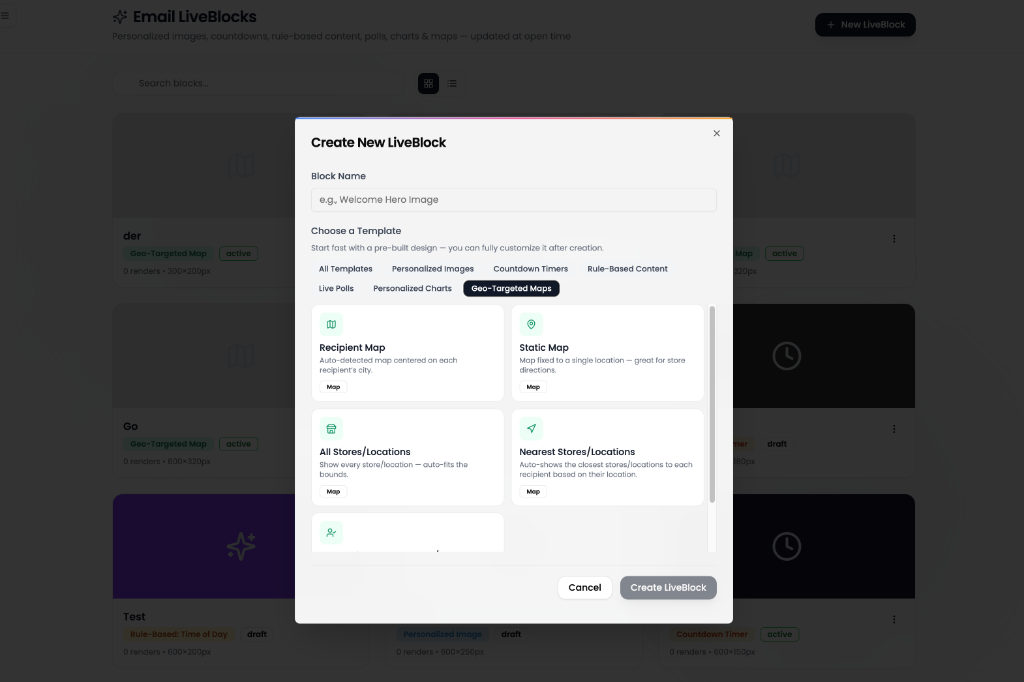
Pick a pre-built template — personalized images, countdowns, polls, charts, geo-targeted maps and more — then customize it visually.
Personalized Images
Layer text, shapes, and merge tags onto a base image. Renders unique per-recipient images using URL params from your ESP.
Animated Countdowns
Live-ticking countdown timers that update every second the email is open. Custom typography, separators, and expired states.
Geo-Targeted Maps
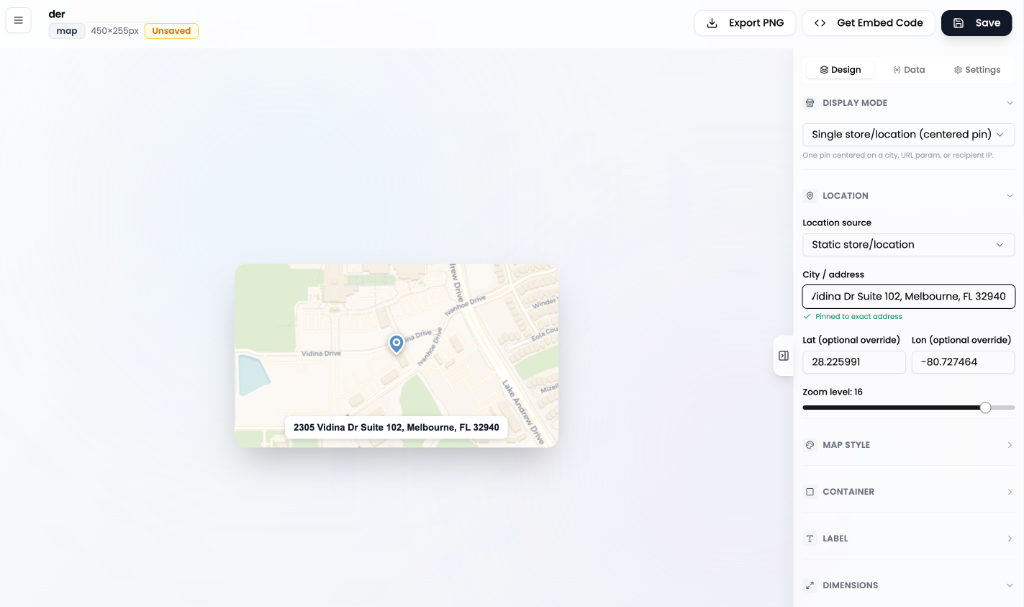
Show the nearest store, all stores, or a fixed location. Multi-marker labels, AI-styled tiles, and CSV-driven store lists.
Live Weather
Current temperature and conditions for the recipient's location, fetched at open time from open-meteo.
Time of Day
"Good morning / afternoon / evening" greetings based on the recipient's timezone — accurate even days after send.
Device-Aware Images
Swap images based on whether the recipient opened on iOS, Android, or desktop. Perfect for app-store CTAs.
Personalized Charts
Bar, line, and donut charts driven by URL params or static data. Render personal stats, leaderboards, or progress.
Email Polls
In-email polls with click-to-vote answers, redirect URLs, and live result tracking. Standard or image-grid layouts.
Rule-Based Images
Swap the entire base image based on weather, time, device, or URL params — and layer text on top.
HOW IT WORKS
From design to inbox in 4 steps
- 01
Pick a block type
Start from a template or build from scratch — countdown, map, weather, poll, chart, image, and more.
- 02
Add personalization
Drop in merge fields, connect a CSV data feed, or pull live data from an ESP integration.
- 03
Copy the embed
One-click copy. Get an <img> tag formatted for Klaviyo, Mailchimp, Braze, SFMC, HubSpot, or generic syntax.
- 04
Paste & send
Paste into your email template. Each recipient sees a freshly rendered image at the moment they open.
USE CASES
What marketers build with LiveBlocks
Flash sale countdowns
Drive urgency with a real-time ticker — even when the email sits in the inbox for hours. Updates every second on open.
Find-my-nearest-store emails
Show the 3 closest store locations on a personalized map. Auto-detected by IP or driven by a customer address field.
Weather-triggered campaigns
"It's 32°F and snowing in Boston — here's 20% off our heaviest jackets." Real local weather, every open.
In-email polls & surveys
Click-to-vote feedback without leaving the inbox. Live results visible in your dashboard.
Personalized stats reports
Year-in-review, leaderboards, fitness summaries, fundraising progress — drawn live for each recipient.
Device-specific app CTAs
Show an App Store badge to iOS opens, Google Play to Android. Skip both for desktop.
WORKS EVERYWHERE
Paste-and-go with every major ESP
The embed dialog auto-formats your merge tags for the ESP you choose. No backend integration, no platform certifications.
VS OTHER LIVE-CONTENT TOOLS
Why teams pick EmailVersed LiveBlocks
Comparison reflects features available at time of publication. Movable Ink, NiftyImages, and Liveclicker are trademarks of their respective owners.
PASTE-ANYWHERE SNIPPET
One image tag. Endless personalization.
<img
  src="https://emailversed.com/functions/renderLiveBlock?id=BLOCK_ID
       &first_name={{ person|lookup:'first_name' }}
       &city={{ person|lookup:'city' }}"
  width="600" height="300" alt="Your personalized offer"
  style="display:block;" />
One-click copy with the right merge syntax for your ESP.
FAQ
Common questions
What are email LiveBlocks?▾
Do LiveBlocks work with my ESP?▾
How does open-time personalization work?▾
What types of LiveBlocks are available?▾
Will this hurt my email deliverability?▾
Can I track opens and engagement?▾
Is it free?▾
Ready to ship your first LiveBlock?
Free forever for solo marketers. No credit card. 5-minute setup.